Es muy sencillo:
- Accedemos al panel de control, y nos dirigimos a 'Controladores adicionales'.
- Y seleccionamos la opción tal como muestra la imagen de abajo, y le damos a 'Aplicar'.
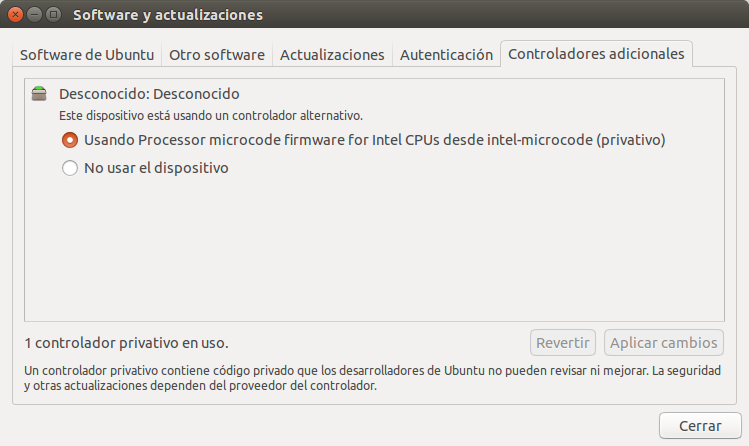
De esta manera nuestro ordenador funcionará mejor.
Es muy sencillo:
- Accedemos al panel de control, y nos dirigimos a 'Controladores adicionales'.
- Y seleccionamos la opción tal como muestra la imagen de abajo, y le damos a 'Aplicar'.
De esta manera nuestro ordenador funcionará mejor.

Cómo habilitar el controlador privativo de Intel en Ubuntu